Have you ever lost a customer and don't know why? It's likely because a preference wasn't followed.
Keep your customers by giving them EXACTLY what they want.
TASSQ helps you track customer preferences and job details so nothing falls through the cracks — keeping customers happy and coming back.
No credit card required. Built for solo and small teams.
Built for: Cleaners · Handypeople · Landscapers · Mobile techs · Independent contractors
Other tools slow you down. TASSQ gets out of the way.
With most scheduling tools, you deal with:
- Too many fields just to create one job
- Confusing dashboards you never use
- Features you're paying for but don't need
- A clunky mobile experience
With TASSQ, you just:
- Add or select a customer
- Add job details
- Pick a time
- Assign it (or keep it on you)
- Move on with your day
What TASSQ does (and nothing you don't).
Lightning-fast job creation
Create a job in seconds — customer, service, time, and notes in one clean flow.
Smart customer selection
Quickly pick an existing customer or add a new one without breaking your flow.
Simple scheduling & assignment
Choose date, time, and who's doing the work — all on one screen.
Structured notes that stay useful
Every line becomes its own bullet point so you can actually find what matters later.
Click through a live-style demo.
Explore how TASSQ works before we launch. Click the highlighted areas to see how fast it is to create and manage jobs.
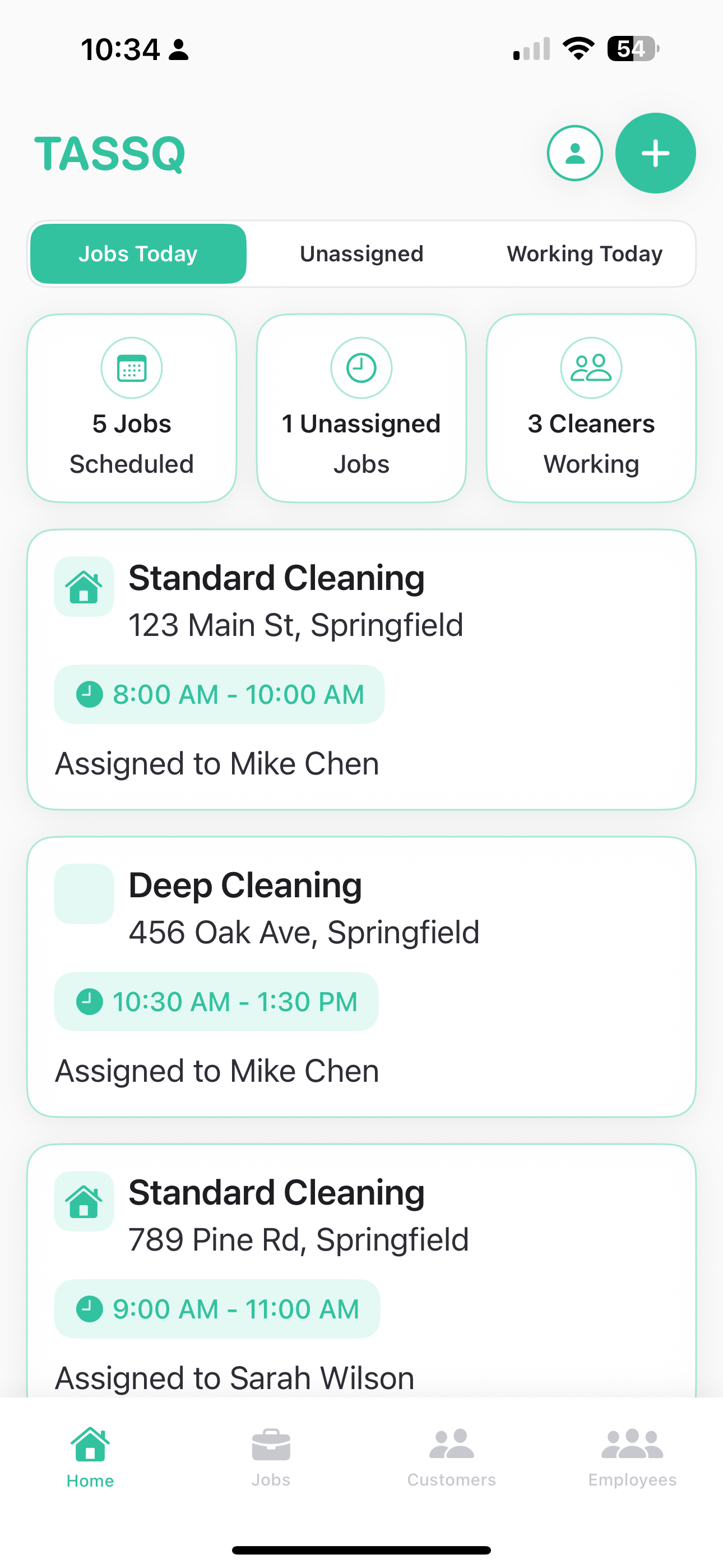
See your daily overview at a glance - scheduled jobs, unassigned tasks, and active team members.
Want to see more? Join the beta to get early access.
Built for people who get the work done.
Solo operators
You wear all the hats. TASSQ helps you keep it all straight without becoming a second job.
Small teams (1–3 people)
Keep track of who's doing what and when, without heavy 'enterprise' software.
Growing service businesses
Start simple, stay organized, and grow without losing control of your schedule.
Questions you might have.
Ready to see how much easier scheduling can be?
Join the TASSQ early access list and be the first to try it.